 BeelanceShop
BeeBudget: tu presupuesto mensual en el móvil: your monthly budget on your phone
Tu dinero en orden, cada mes. Apunta lo que entra y lo que sale, ponle un plan a cada categoría y mira cómo crece tu ahorro. Es nuestra plantilla de Excel de presupuesto, convertida en app.Your money in order, every month. Log what comes in and what goes out, give every category a plan and watch your savings grow. It’s our Excel budget template, turned into an app.

BeeBudget en 40 segundos
BeeBudget in 40 seconds
Todo lo que hace por ti
Everything it does for you
Pensada para llevar el presupuesto de casa sin complicarte: abrir, apuntar y saber cómo vas.
Built to run your household budget without fuss: open it, log it and know where you stand.
Tus datos, en tu móvil
Your data, on your phone
Sin cuentas y sin claves del banco. Todo se guarda en el teléfono y puedes protegerlo con PIN o huella.
No accounts, no bank logins. Everything stays on the phone and you can lock it with a PIN or fingerprint.
Plan frente a real
Plan vs. actual
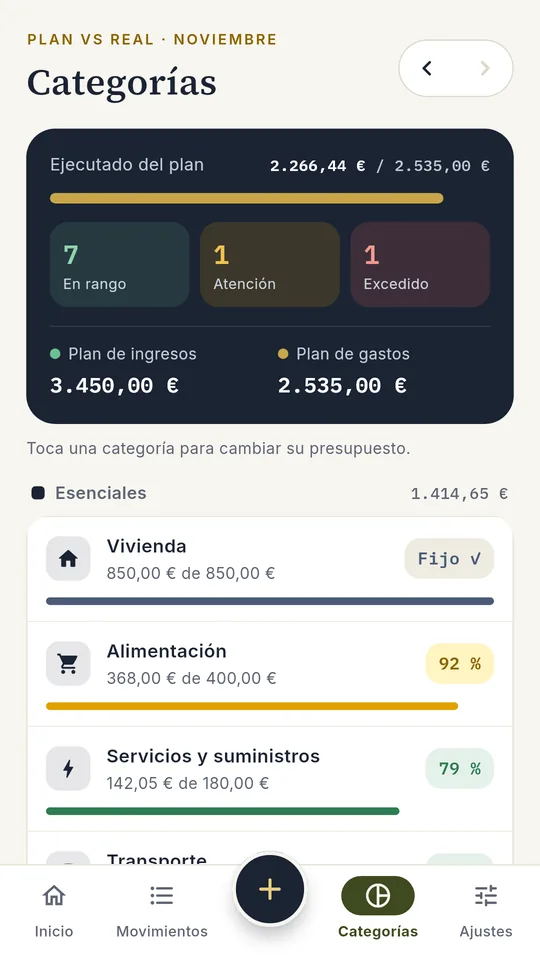
Un presupuesto por categoría que se mantiene mes a mes, con semáforo verde, ámbar o rojo según vas cumpliendo.
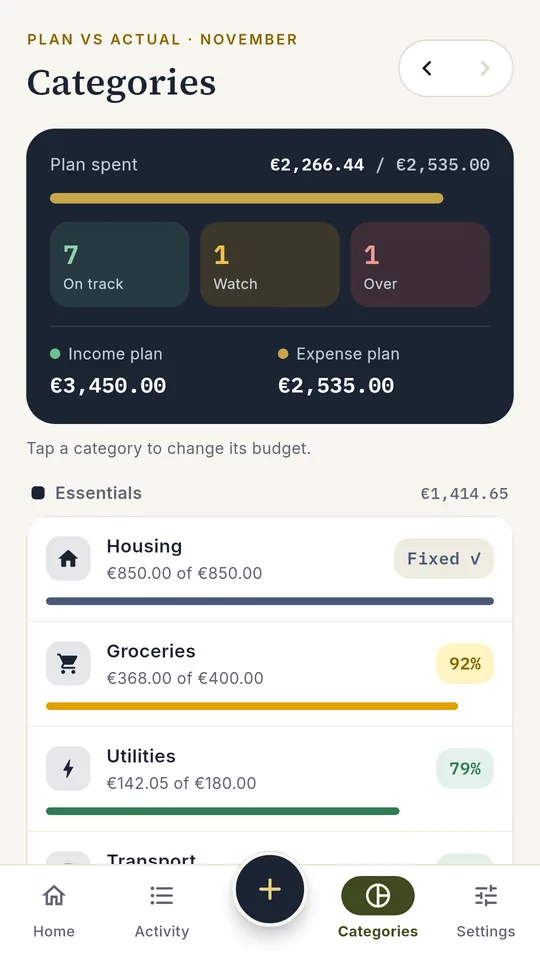
A budget per category that carries over every month, with a green, amber or red light as you go.
Apuntar en segundos
Log in seconds
Importe, categoría y listo. Con calculadora integrada para sumar tickets.
Amount, category, done. With a built-in calculator to add up receipts.
Escanea tus recibos
Scan your receipts
La cámara lee importe, fecha y comercio en el propio teléfono, sin enviar la foto a ningún sitio.
The camera reads amount, date and store right on your phone, without sending the photo anywhere.
Tu mes de un vistazo
Your month at a glance
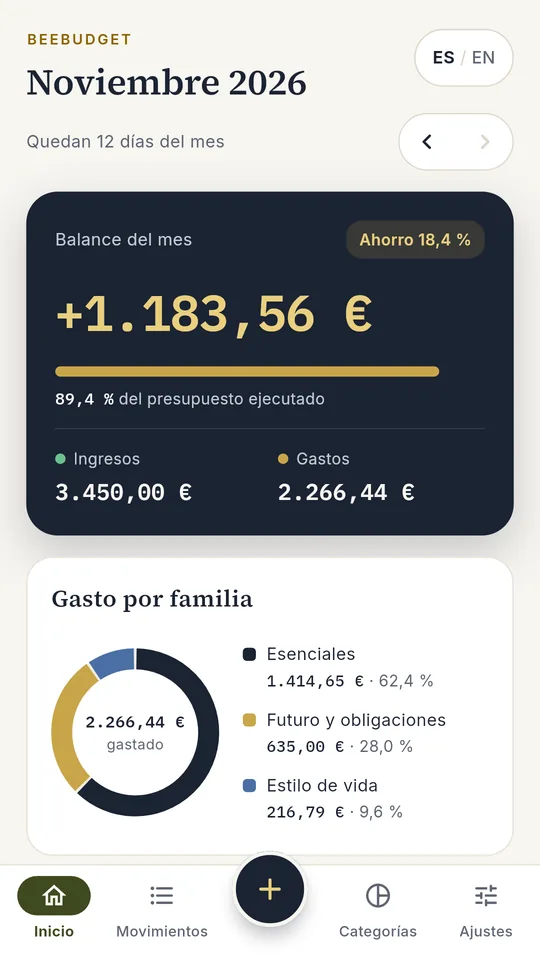
Balance, % de ahorro, presupuesto ejecutado y gasto por familia: Esenciales, Estilo de vida y Futuro.
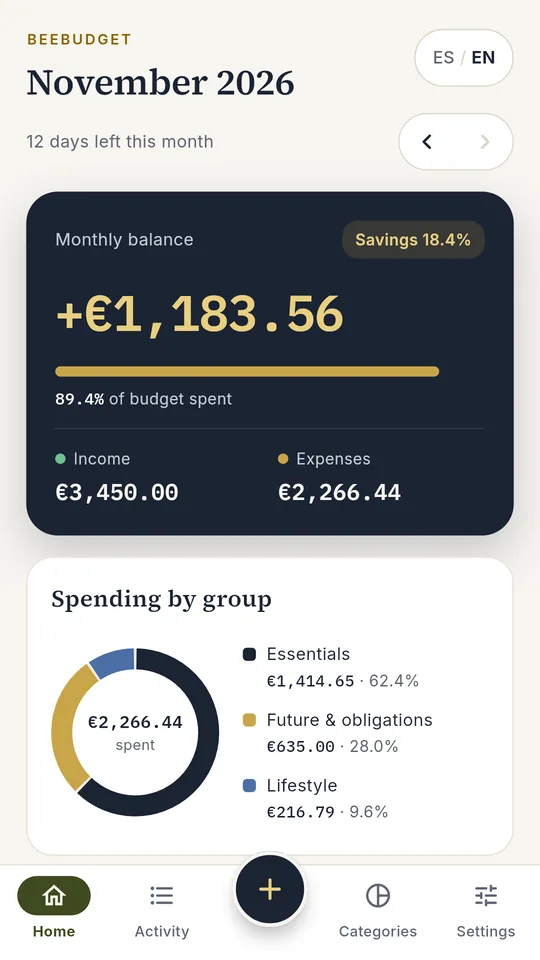
Balance, savings rate, budget used and spending by group: Essentials, Lifestyle and Future.
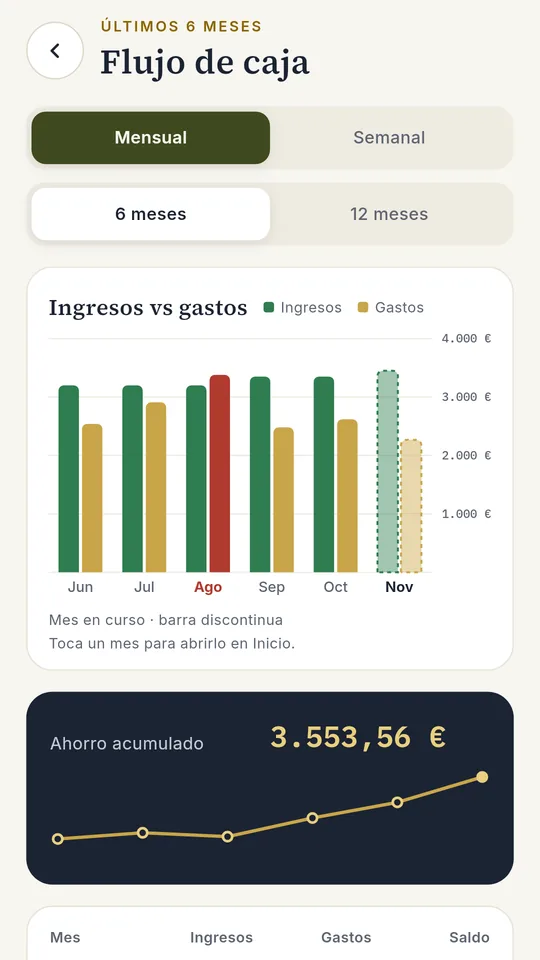
Flujo de caja
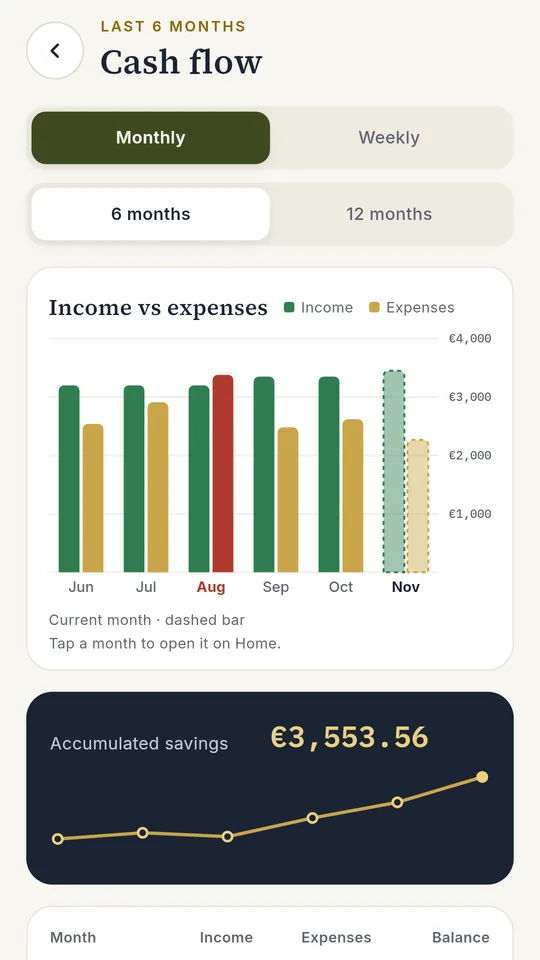
Cash flow
Gráfica mensual y semanal de ingresos frente a gastos, ahorro acumulado y aviso de los meses en rojo.
Monthly and weekly income vs. spending chart, accumulated savings and a heads-up on months in the red.
Tus propias categorías
Your own categories
Renombra las que vienen o crea nuevas con su icono, como Restaurantes, Ropa o Mascotas.
Rename the built-in ones or create new ones with their own icon, like Restaurants, Clothes or Pets.
Escenarios PRO
Scenarios PRO
Lleva por separado casa, trabajo, hijos o un proyecto, y míralos todos juntos.
Keep home, work, kids or a project apart, and see them all together.
Exporta a Excel PRO
Export to Excel PRO
Genera tu libro de Excel de BeelanceShop con gráficas y movimientos, o cualquier mes en CSV o PDF.
Create your BeelanceShop Excel workbook with charts and transactions, or any month as CSV or PDF.
Copia en tu Google Drive PRO
Backup to your Google Drive PRO
Cambia de móvil sin perder nada. La copia va a la carpeta privada de la app en tu propio Drive.
Switch phones without losing anything. The backup goes to the app’s private folder in your own Drive.
A tu manera
Your way
Español o inglés, 13 monedas y tres temas: BeeBudget, Vívido y Oscuro.
English or Spanish, 13 currencies and three themes: BeeBudget, Vivid and Dark.
Viene de tu Excel
Comes from your Excel
¿Ya usas nuestra plantilla de presupuesto? Puedes importarla al empezar.
Already using our budget template? You can import it when you start.
De cero a tu primer mes en 8 pasos
From zero to your first month in 8 steps
Capturas reales de la app, empezando desde cero como un usuario nuevo: primero el plan y luego los movimientos.
Real screenshots of the app, starting from scratch like a new user: first the plan, then your transactions.
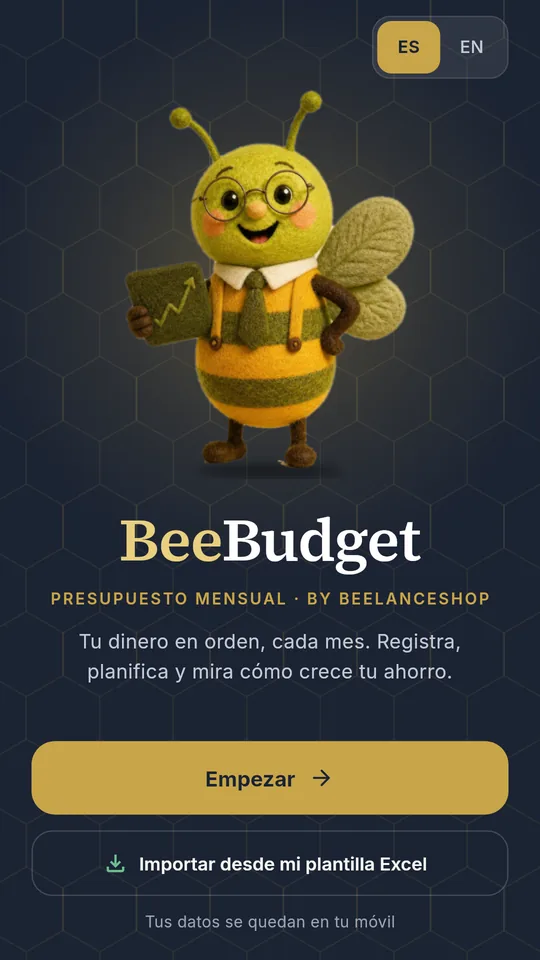
Abre la app y pulsa «Empezar»
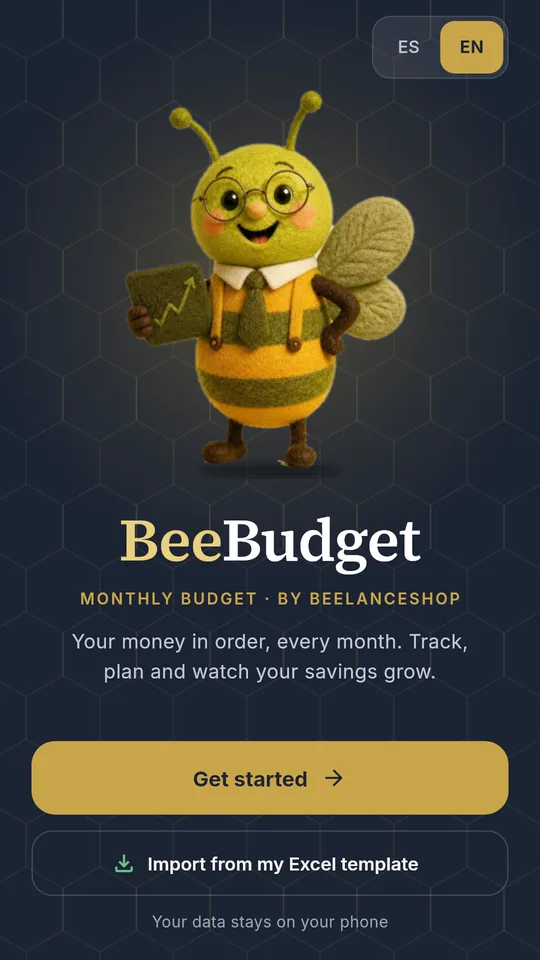
Open the app and tap “Start”
No hace falta crear cuenta ni contraseña. Arriba eliges el idioma (ES / EN). La moneda se elige sola según tu país y la puedes cambiar en Ajustes.
No account or password needed. Pick your language at the top (ES / EN). The currency is set from your country and you can change it in Settings.
¿Ya llevas tu presupuesto en nuestra plantilla de Excel? Pulsa «Importar desde mi plantilla Excel» y empieza con tus datos.
Already using our Excel budget template? Tap “Import from my Excel template” and start with your own data.
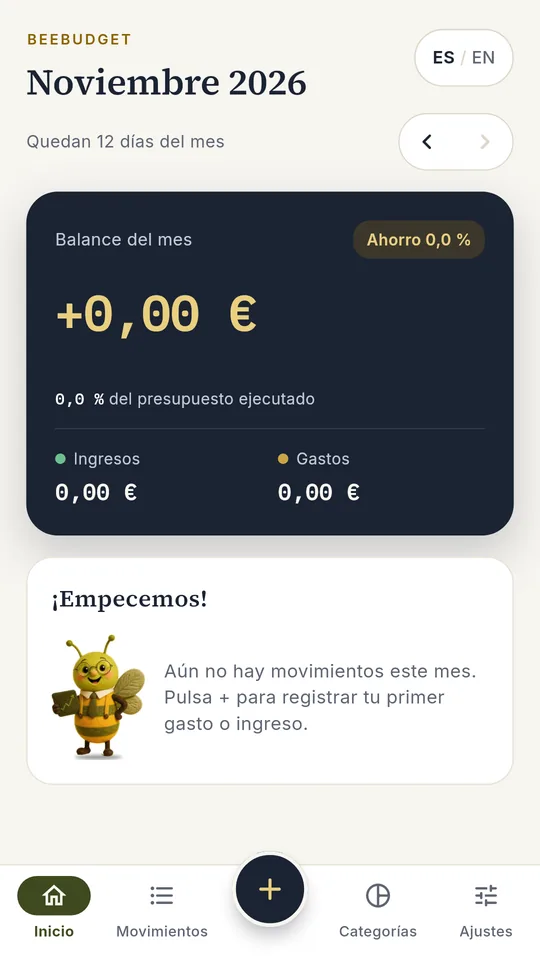
Tu mes empieza en cero
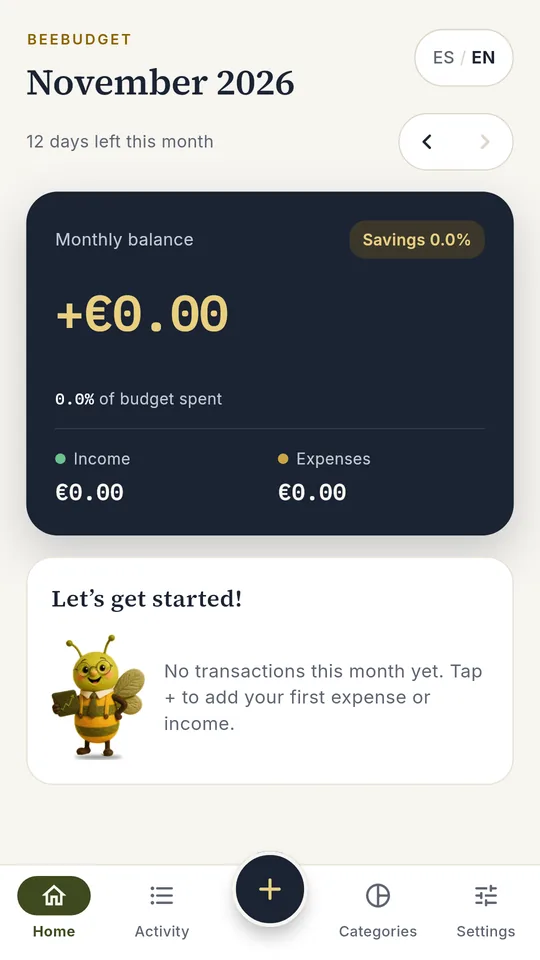
Your month starts at zero
Esta es la pantalla de Inicio. Aquí verás el balance del mes, el porcentaje de ahorro y cuánto llevas gastado de tu presupuesto. Con las flechas ‹ › te mueves entre meses.
This is the Home screen. It shows your monthly balance, savings rate and how much of your budget you’ve used. Use the ‹ › arrows to move between months.
Abajo tienes las cuatro secciones: Inicio, Movimientos, Categorías y Ajustes. El botón + del centro sirve para apuntar.
At the bottom are the four sections: Home, Activity, Categories and Settings. The + button in the middle is for logging.
Crea tu plan en «Categorías»
Build your plan in “Categories”
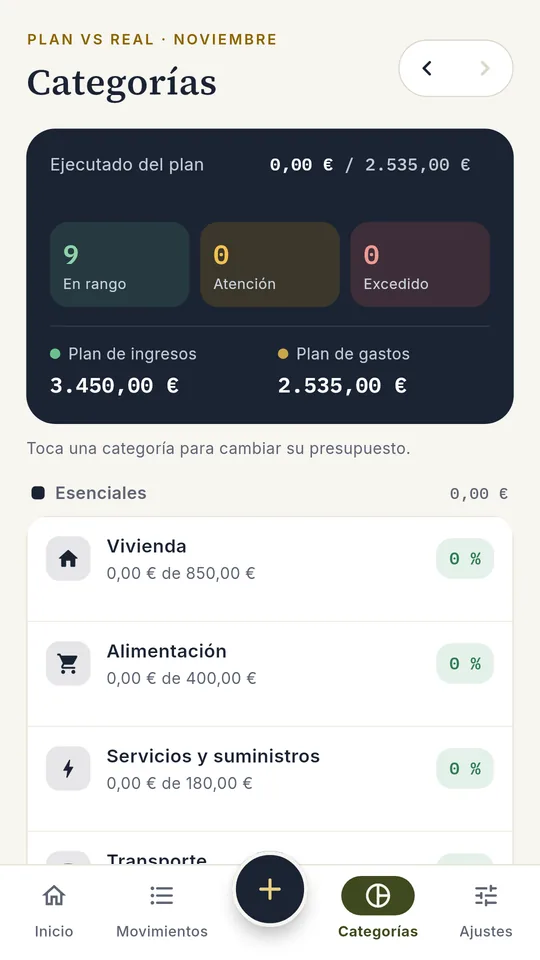
BeeBudget trae un plan de ejemplo para que no empieces en blanco, con las categorías agrupadas en tres familias:
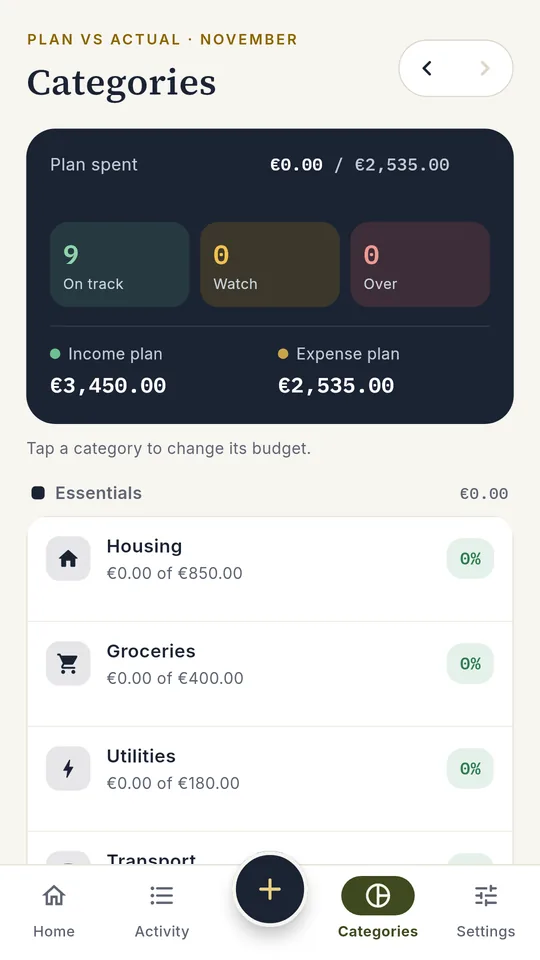
BeeBudget comes with a sample plan so you don’t start from a blank page, with categories in three groups:
- Esenciales: vivienda, alimentación, suministros, transporte, salud.
- Estilo de vida: ocio, educación, delivery.
- Futuro: ahorro e inversión.
- Essentials: housing, groceries, utilities, transport, health.
- Lifestyle: leisure, education, delivery.
- Future: savings and investing.
Arriba ves el plan de ingresos y de gastos del mes, y cuántas categorías van en rango, en atención o excedidas.
At the top you see the month’s income and spending plan, and how many categories are on track, to watch or over.
Ajusta cada presupuesto a tu vida
Fit each budget to your life
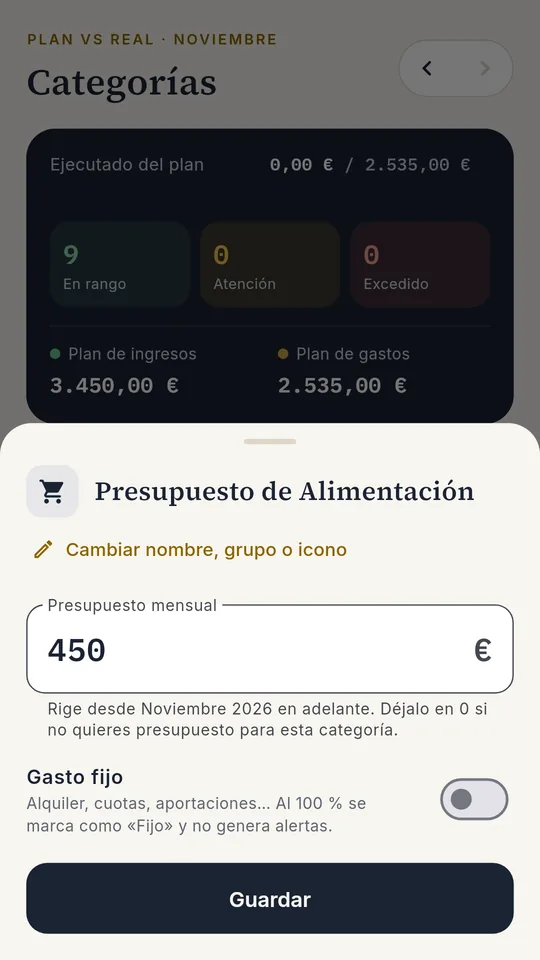
Toca una categoría, escribe cuánto quieres gastar al mes (por ejemplo, 450 € en Alimentación) y pulsa Guardar. El nuevo importe se aplica desde ese mes en adelante.
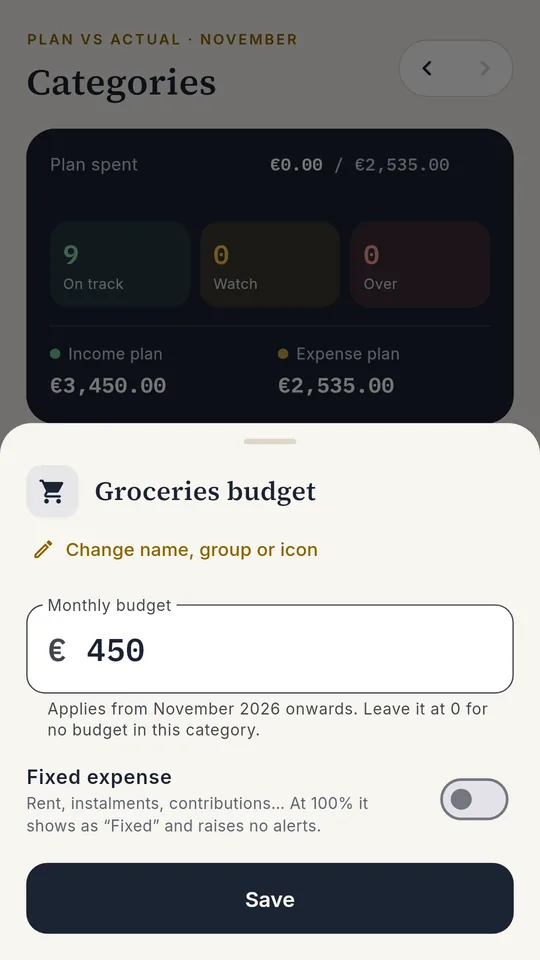
Tap a category, enter how much you want to spend per month (for example, 450 on Groceries) and tap Save. The new amount applies from that month on.
- Marca Gasto fijo para el alquiler, cuotas o aportaciones: no te avisará como si fuera un exceso.
- Haz lo mismo con tus ingresos (Nómina, Freelance…).
- Si te falta alguna, «Añadir categoría» al final de cada grupo.
- Turn on Fixed expense for rent, fees or deposits: it won’t warn you as if it were overspending.
- Do the same with your income (Salary, Freelance…).
- Missing one? “Add category” at the end of each group.
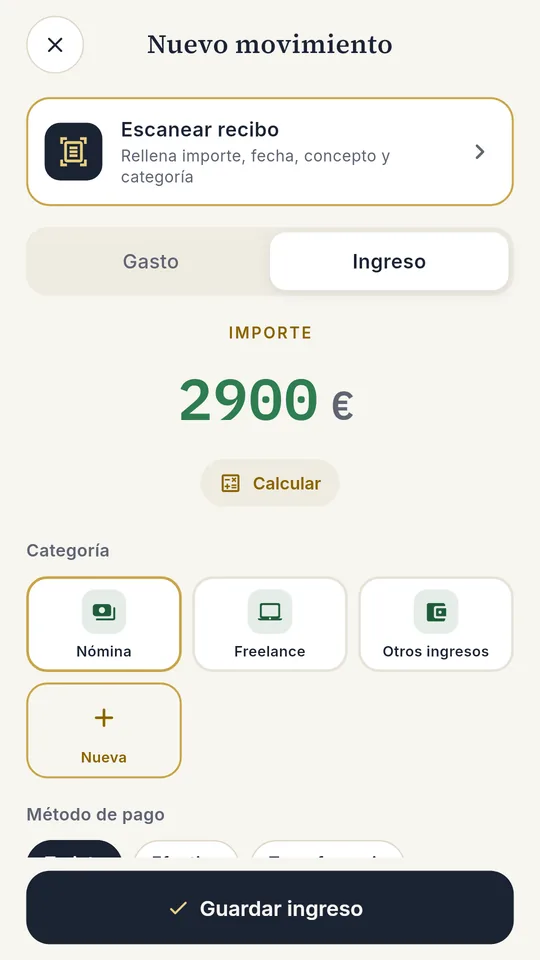
Apunta tu primer ingreso
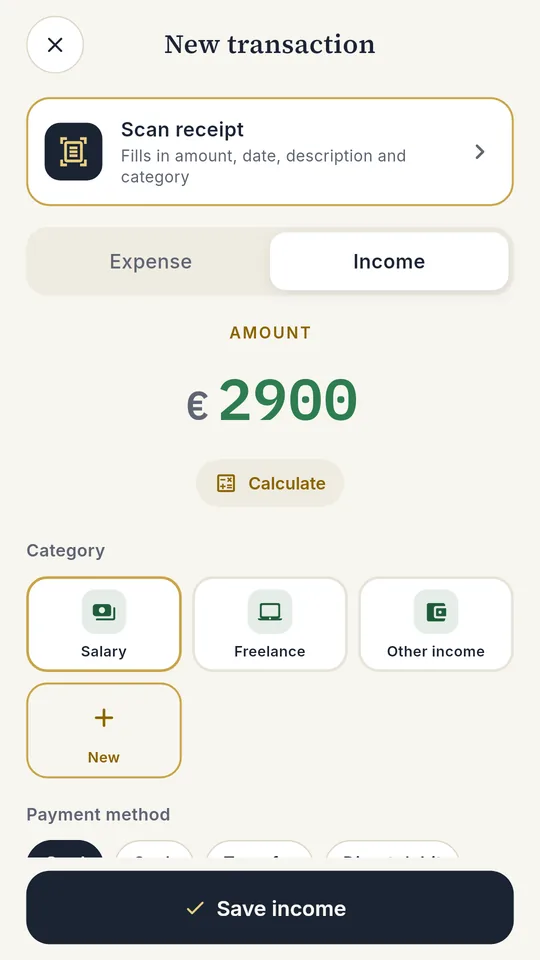
Log your first income
Pulsa +, elige Ingreso, escribe el importe, toca la categoría (por ejemplo, Nómina) y, si quieres, un concepto. Termina con Guardar ingreso.
Tap +, choose Income, type the amount, tap the category (for example, Salary) and, if you like, a description. Finish with Save income.
La fecha es hoy por defecto; tócala si el ingreso fue otro día.
The date defaults to today; tap it if the income came in on another day.
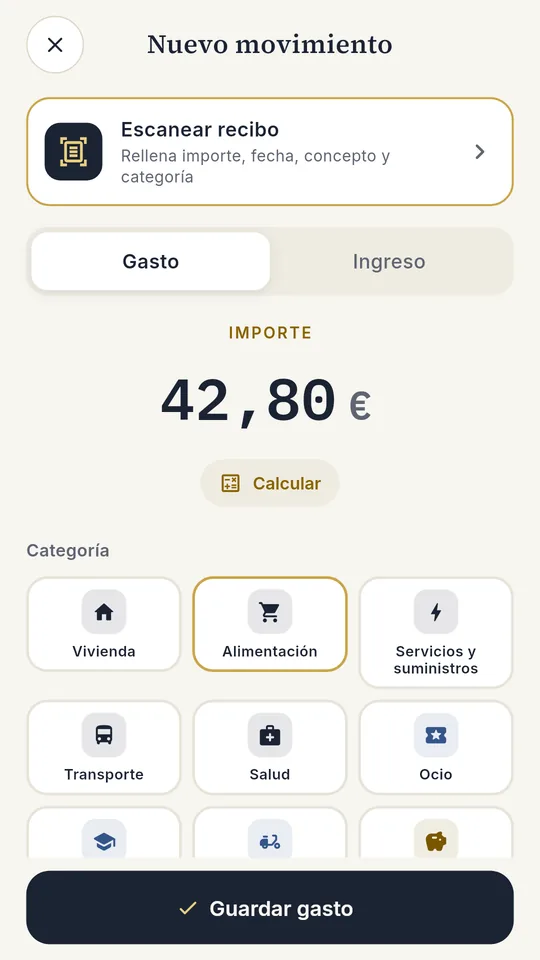
Apunta tus gastos igual de rápido
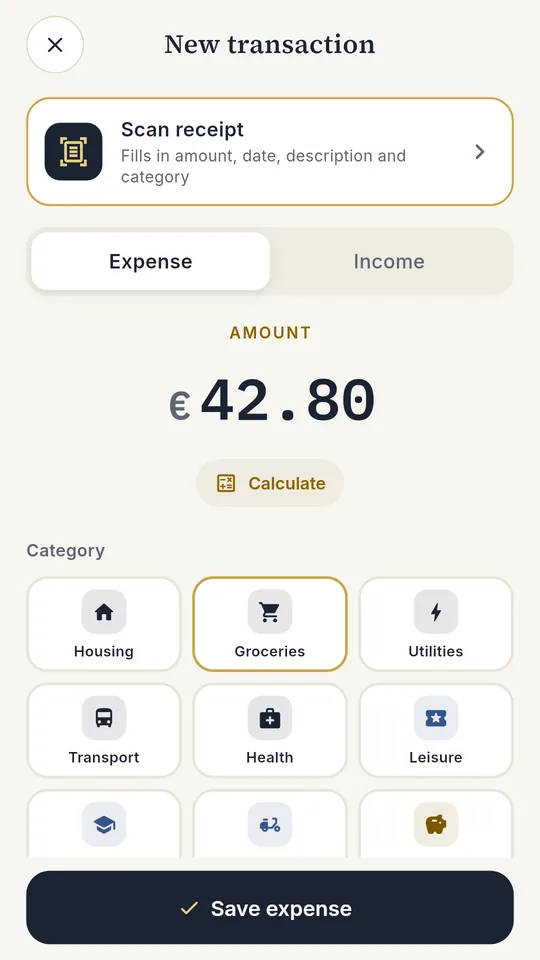
Log expenses just as fast
Con Gasto seleccionado: importe, categoría y método de pago (tarjeta, efectivo, transferencia, domiciliación o Bizum). Guardar gasto y listo.
With Expense selected: amount, category and payment method (card, cash, transfer, direct debit or Bizum). Save expense and you’re done.
- Escanear recibo: haz una foto al ticket y la app rellena importe, fecha y concepto.
- Calcular: suma varios tickets antes de guardar.
- Scan receipt: take a photo of the receipt and the app fills in amount, date and description.
- Calculate: add up several receipts before saving.
Revisa tus movimientos
Review your transactions
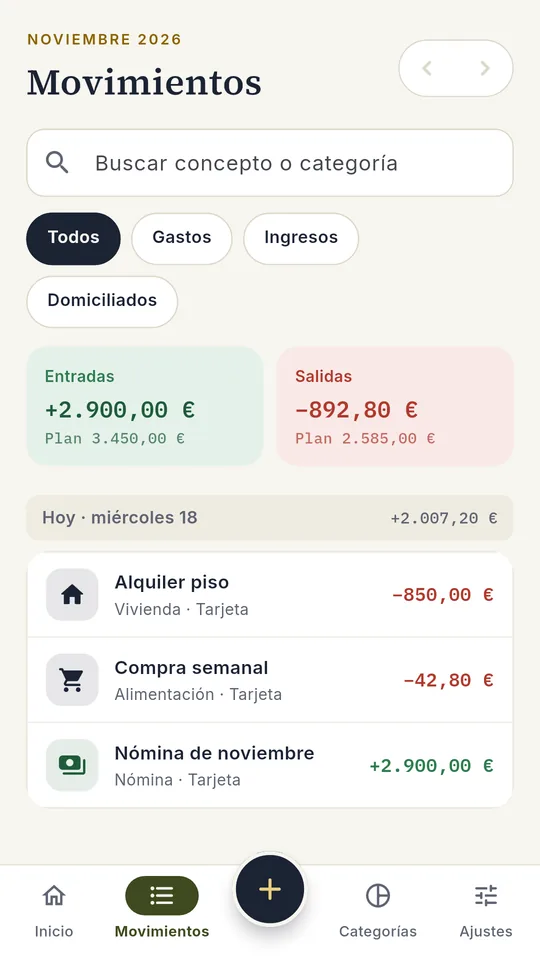
En Movimientos tienes todo lo del mes, ordenado por día, con las entradas y salidas frente a tu plan.
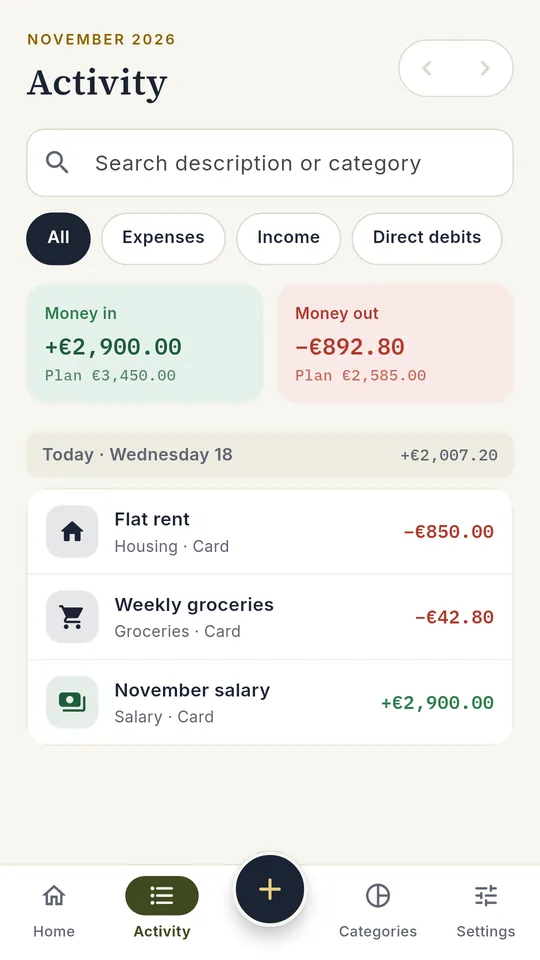
In Activity you’ll find everything for the month, by day, with money in and out against your plan.
- Busca por concepto o categoría y filtra Gastos, Ingresos o Domiciliados.
- Toca un movimiento para editarlo; desliza para borrarlo.
- Search by description or category and filter Expenses, Income or Direct debits.
- Tap a transaction to edit it; swipe to delete it.
Mira cómo vas en «Inicio»
See how you’re doing on “Home”
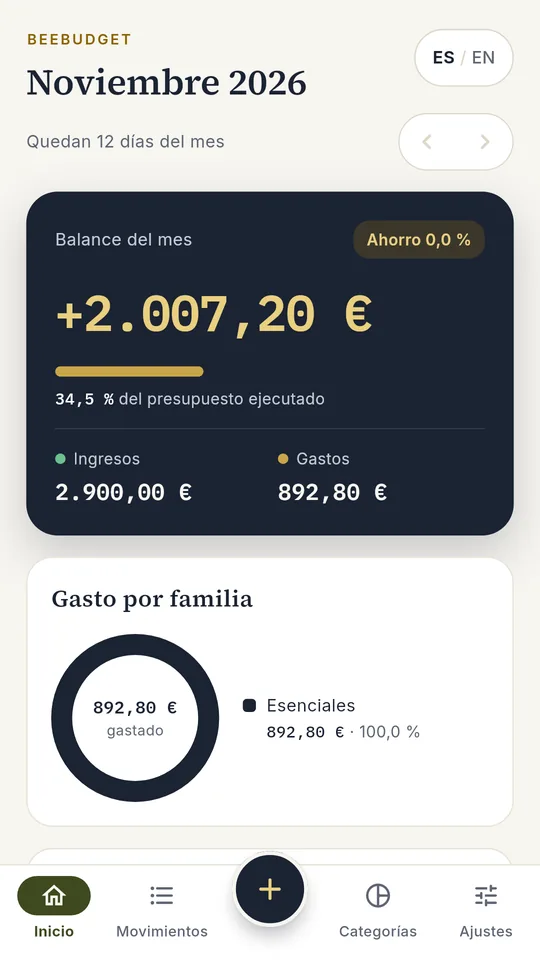
Con tus primeros movimientos, Inicio ya te dice el balance del mes, qué parte del presupuesto llevas gastada y en qué familia se va tu dinero.
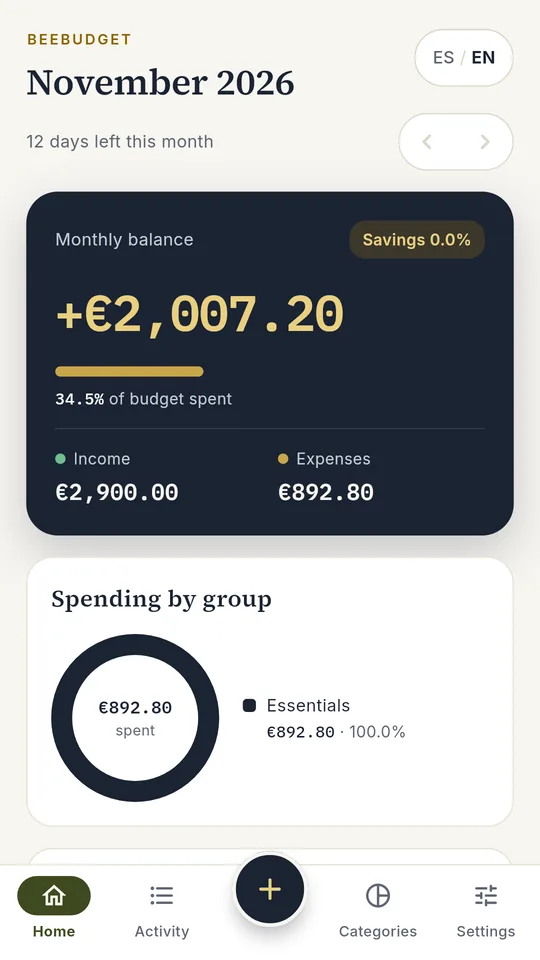
With your first transactions, Home already shows your monthly balance, how much of your budget you’ve used and where your money is going.
El hábito que funciona: apunta cada gasto el mismo día y echa un vistazo a Inicio una vez por semana.
The habit that works: log each expense the same day and glance at Home once a week.
Así se ve un mes completo
This is what a full month looks like
Gratis para lo básico, Pro para ir más allá
Free for the basics, Pro to go further
Gratis
Free
- Plan por categorías y semáforo
- Movimientos, búsqueda y filtros
- Inicio, historial de meses y flujo de caja
- PIN o huella, temas, 13 monedas
- Algunos extras (más escaneos de recibos, categorías propias) a cambio de un vídeo corto, solo cuando tú lo eliges
- Plan per category and traffic light
- Transactions, search and filters
- Home, month history and cash flow
- PIN or fingerprint, themes, 13 currencies
- Some extras (more receipt scans, your own categories) for a short video, only when you choose
BeeBudget Pro
- Movimientos y escaneos ilimitados, sin anuncios
- Escenarios: casa, trabajo, hijos, proyectos…
- Exportar a tu libro de Excel, CSV y PDF
- Copia de seguridad en tu Google Drive
- Unlimited transactions and scans, no ads
- Scenarios: home, work, kids, projects…
- Export to your Excel workbook, CSV and PDF
- Backup to your Google Drive
Precios en España con IVA; Google Play muestra el precio de tu país.
Prices in Spain incl. VAT; Google Play shows the price for your country.
Preguntas frecuentes
Frequently asked questions
¿Tengo que crear una cuenta?
No. Abres la app y empiezas. No pedimos correo, contraseña ni acceso a tu banco.
¿Dónde se guardan mis datos?
En tu teléfono. Solo salen si tú lo eliges: copia en tu Google Drive (Pro), exportar o escribirnos. Más detalles en la política de privacidad.
¿Funciona sin internet?
Sí. Apuntar, consultar y el escáner de recibos funcionan sin conexión. Internet solo hace falta para la copia en Drive, las compras y los vídeos opcionales.
¿Está para iPhone?
Solo está disponible para Android.
¿Puedo pasar mis datos a otro móvil?
Sí, con la copia de seguridad en tu Google Drive (Pro): la haces en el móvil antiguo y la restauras en el nuevo.
¿Cómo cancelo la suscripción?
Desde Google Play › Pagos y suscripciones. Sigues teniendo Pro hasta el final del periodo pagado.
Do I need to create an account?
No. Open the app and start. We don’t ask for an email, password or bank access.
Where is my data stored?
On your phone. It only leaves if you choose to: backup to your Google Drive (Pro), exporting or writing to us. More in the privacy policy.
Does it work offline?
Yes. Logging, browsing and the receipt scanner work offline. You only need internet for the Drive backup, purchases and optional videos.
Is there an iPhone version?
It is available for Android only.
Can I move my data to a new phone?
Yes, with the backup to your Google Drive (Pro): back up on the old phone and restore on the new one.
How do I cancel the subscription?
In Google Play › Payments & subscriptions. You keep Pro until the end of the paid period.
Pide acceso a la prueba
Request access to the test
BeeBudget se instala desde Google Play. Déjanos el correo de tu cuenta de Google y te enviamos la invitación.
BeeBudget installs from Google Play. Leave the email of your Google account and we’ll send you the invitation.
BeeBudget es una app de BeelanceShop. BeeBudget is an app by BeelanceShop. PrivacidadPrivacy · CondicionesTerms · Eliminar mis datosDelete my data